For music producers
Your DAW keeps the music. Tapelog keeps everything else: the session, the feeling, where the track is heading.
You open a project from a month ago. Everything is still there, but the direction that had you so excited is gone. Tapelog holds what your DAW can’t: where a track is heading, how it felt when you started, and the next thing to try.
Runs in your web browser, on desktop or phone. Nothing to install.
Free during beta. Any tracks you add now won’t count against future plan limits.
Maybe you’ve tried a notes app, a spreadsheet, or voice memos to yourself. They’re fine for scraps. What none of them shows you is where everything stands: which tracks are nearly ready, which need a session, what you were building last time and how it was meant to feel. So it ends up living in your head, or scattered across tools that weren’t built for the studio.
Without Tapelog I would be losing track of the work I’ve been doing. It’s giving me a place to drop notes on new ideas, which is leading to me following through more consistently.
Chris, The Kairos Effect Music
A complete view of your catalogue changes how you work. Once you can see what’s developing, what needs a session and what’s been quiet too long, the energy you spent trying to remember goes back into the music.
01 — Catalogue
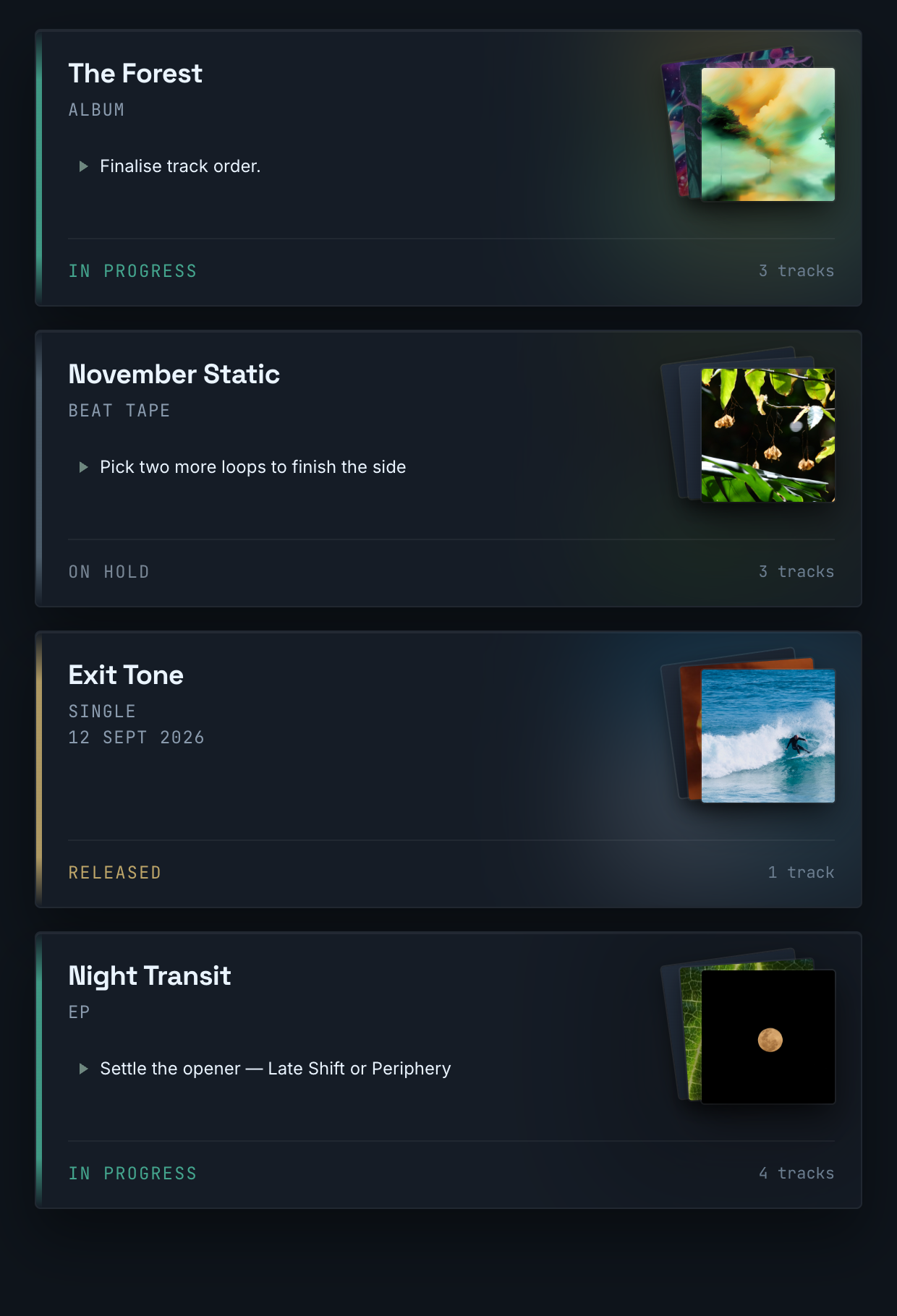
Every project in your catalogue visible at once: status, tags, your next action, when you last worked on it, and its artwork. Search, or filter by mood, instrument and more, to find the track you’re after.
02 — Track detail
Been away for a while? Press Recap for a short AI summary of your own sessions and notes, and you’re back in the room. Every track holds everything alongside it: where you were going with it, what it was supposed to feel like, key, BPM, genre, mood, reference tracks, links to your latest bounces. All without opening a folder.
03 — Session journal
When you finish a session, leave a few lines: what you worked on, where your head was, what shifted, what you want to try. Set a next action before you close the project: a message to your future self so the thread is never lost. Three weeks later, it’s all still there.
04 — Collections
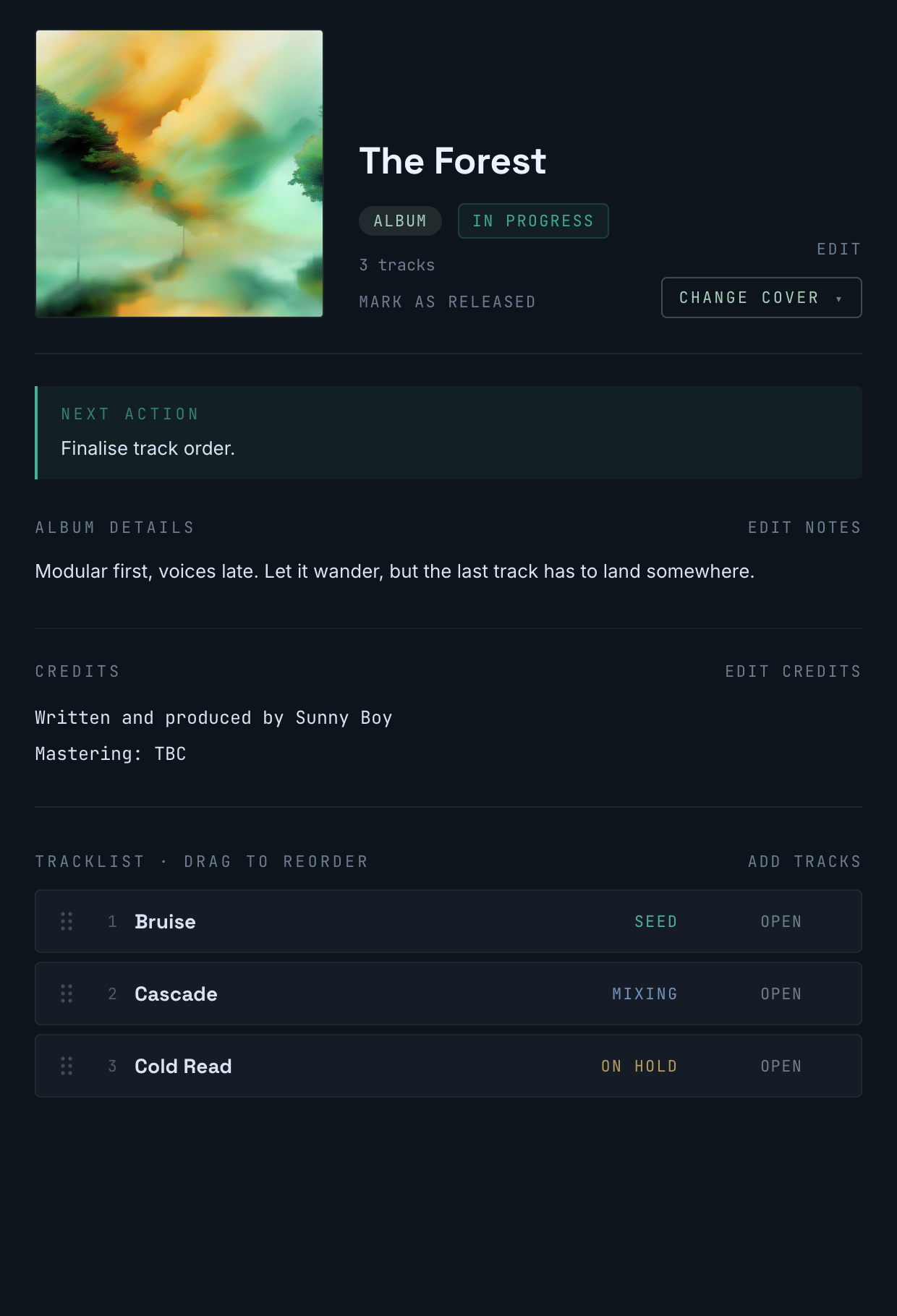
An EP, an album, a beat tape. Put the tracks in order, see where each one stands, and keep what belongs to the whole record in one place: notes, credits, its own next action. When it’s out, mark it released and write down some reflections for your next project.
05 — Rediscover
Tapelog notices when a track goes quiet. Pull one back at random and the story is waiting: last session, next action, where you were. Or filter to see them all. They’re still there, exactly as you left them.
Also in Tapelog
Activity feed
Every session across your catalogue in one view, grouped by date.
Collaboration
Invite people to a track. Co-owners can edit it with you; contributors can log sessions.
Version log
Leave a marker at meaningful moments: a label, a date, an optional audio link. Six months later you can trace exactly how a track got from a rough idea to something finished.
Import & export
Bring in an existing catalogue from a spreadsheet in minutes, or export your tracks’ details as a CSV.
Takes under a minute. No credit card.
Or use the guided import to bring in your whole catalogue.
Note what you worked on and where you want to take it.
Free during beta. Any tracks you add now won’t count against future plan limits.